
About the game
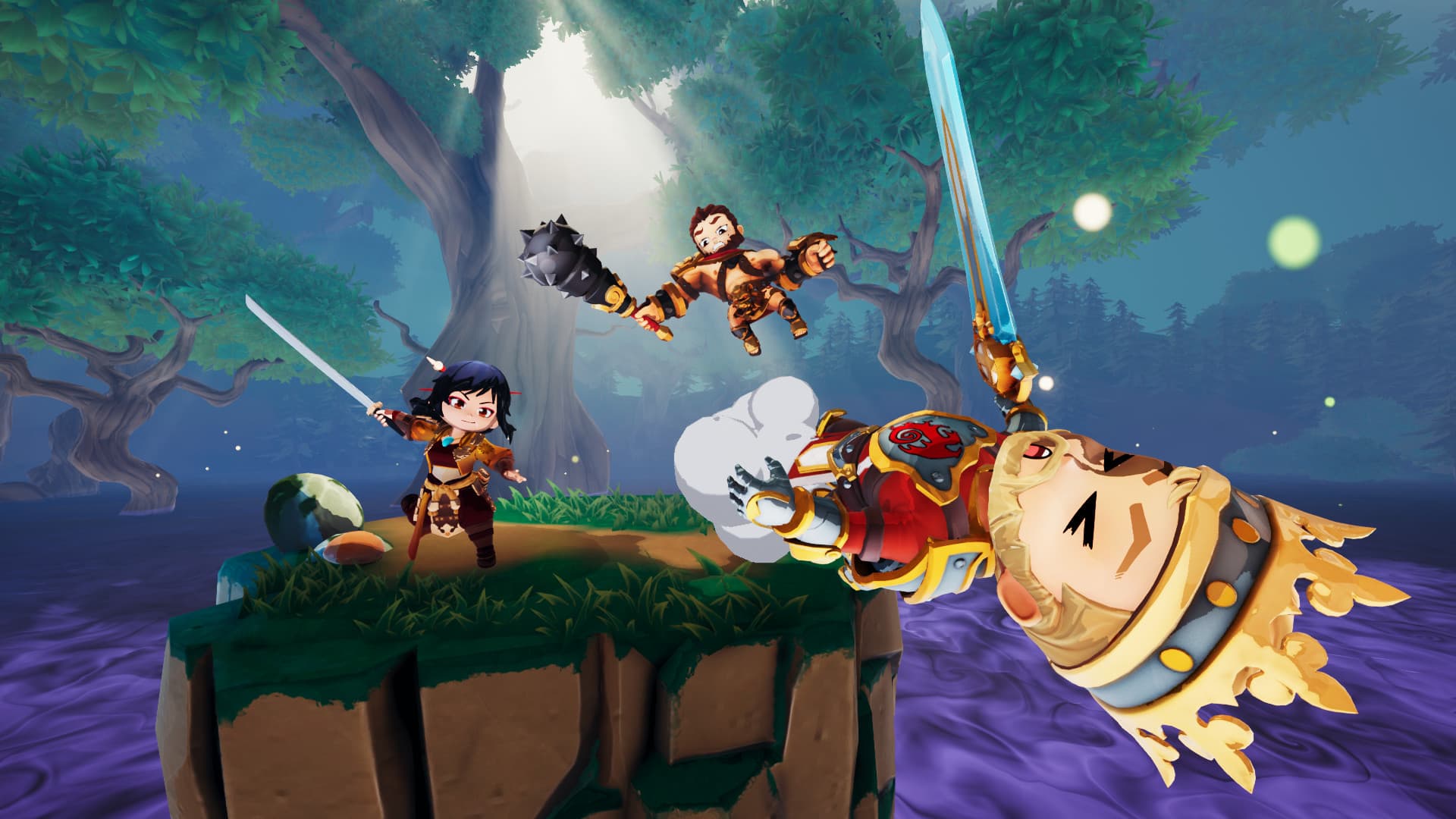
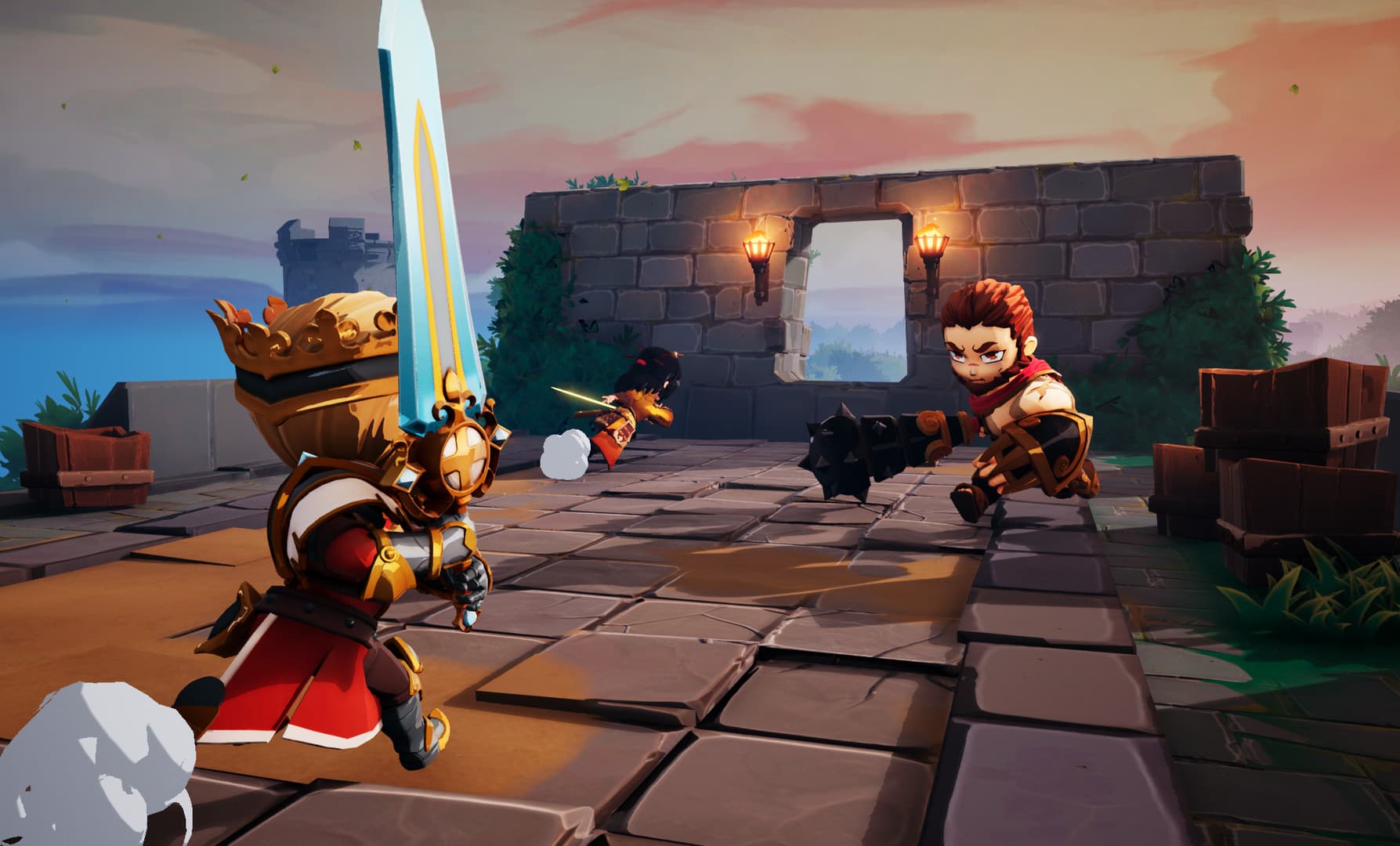
KO the gods in the world’s only 3rd-person platform fighter! Become a small-but-mighty god of myth, brawl in all three dimensions, and knock your friends off the map to reign supreme. Features Intense Multiplayer ActionDamage enemies to make them vulnerable, then knock them out of the arena with a mighty blow! Enjoy combat inspired by 2D platform fighters, but brought into a unique third-person perspective that puts you right in the action. Evolving BattlegroundsEach arena features a unique mechanic that players must master to win. Some will crumble over time, while others include deadly traps to avoid... or to smash your foes into! Unleash Godly PowersHurl boulders as Hercules, swing Excalibur as King Arthur, or wield Mjolnir as Thor. Best of all: You can unleash each god’s devastating abilities at the push of a button. Game Modes for AllVenture through myth with friends in DKO’s core 3v3 mode, where each round is a new adventure – and a new mode, like Knockout, King of the Hill, or Oddball. Or show your skills in intense 2v2 and 1v1 duels, focused entirely on combat. Cross-PlatformDivine Knockout supports full cross-play and cross-progression across Steam, Epic Games Store, PlayStation 4, PlayStation 5, Xbox One, and Xbox Series X|S. Play with (and against) your friends no matter where they play, and take your unlocks with you if you decide to switch platforms. Play Your WayCustomize each god to play exactly how you want to play with a deep system of Talents and Blessings. Then equip a loadout of skins, banners, and more to show your unique style. Constantly UpdatedThere’s always something new waiting for you in DKO. New gods, maps, cosmetics, and modes are released regularly as we continue to build Divine Knockout alongside our supportive community.
How to activate
Go to: http://store.steampowered.com/ and download STEAM client Click "Install Steam" (from the upper right corner) Install and start application, login with your Account name and Password (create one if you don't have). Please follow these instructions to activate a new retail purchase on Steam: Launch Steam and log into your Steam account. Click the Games Menu. Choose Activate a Product on Steam... Follow the onscreen instructions to complete the process. After successful code verification go to the "LIBRARY" tab and start downloading.
System requirements
Windows
- Minimum: Requires a 64-bit processor and operating system OS: Windows 7 64-bit or newer Processor: Intel(R) Core i5-2320 Memory: 4 GB RAM Graphics: NVIDIA GeForce GTX 555 Storage: 20 GB available space
You may also like
- The Legend of Zelda: Breath of the Wild JP Nintendo Switch KeyNintendo · ASIA · Metacritic 100Only 1 keys left
 €59.99
 - The Legend of Zelda: Breath of the Wild Nintendo Switch AccessNintendo · REGION FREE · Metacritic 100Only 5 keys left€33.31
- Grand Theft Auto V: Premium Online Edition AR XBOX One / Xbox Series X|S CD KeyXbox One · Argentina · Metacritic 98Only 5 keys left
 €52.98
 - Grand Theft Auto V: Premium Online Edition XBOX One / Xbox Series X|S AccountXbox One · OTHER · Metacritic 98Only 8 keys left€22.08
- Grand Theft Auto V LATAM Steam GiftSteam · Latin America (LATAM) · Metacritic 98Only 1 keys left
 €47.99
 - Red Dead Online - 150 Gold Bars XBOX One CD KeyXbox One · REGION FREE · Metacritic 97
 €19.21