


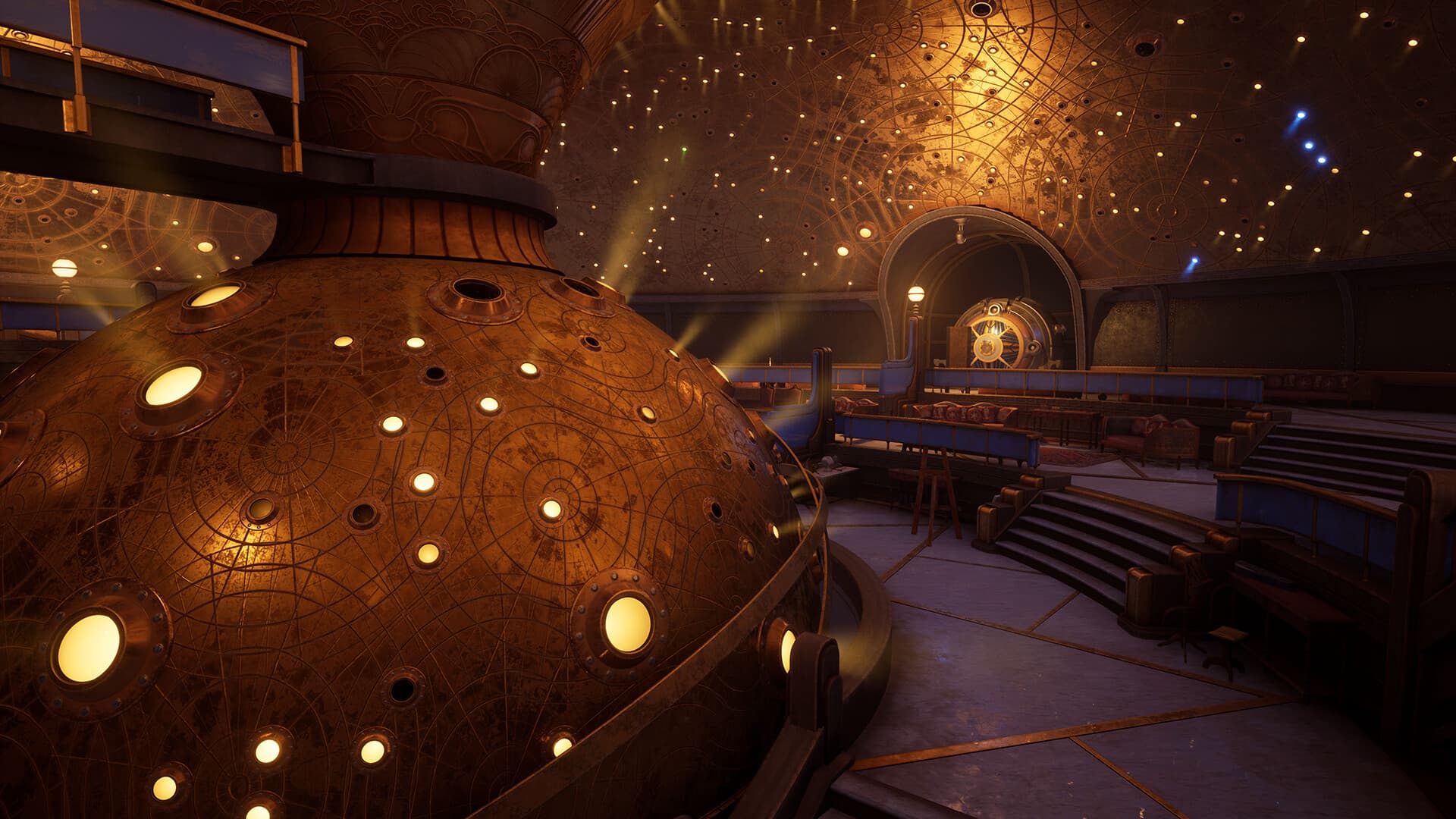
About the game
Firmament is a new puzzle-adventure game by the legendary game studio behind the best-selling games Myst and Riven. Featuring deep storytelling and world-building, discover the story of this seemingly abandoned world as you explore and unlock the mysteries of 3 unique Realms… and beyond! Features EXPLORE THE WORLDFeaturing a unique steampunk aesthetic, Firmament invites you to explore the legendary deep world-building Cyan Worlds is known for. Firmament is a fantastic visual feast, with thrilling new sights to see around every corner. At the same time, the world of Firmament feels completely plausible; as though it were constructed with a bigger purpose in mind… A purpose you will be compelled to discover as you play. SOLVE THE PUZZLESYou carry with you a device called an “Adjunct” as you explore. This Adjunct is your interface as you interact with the various devices throughout the Realms of Firmament. Employing the Adjunct to solve the puzzles you encounter will bring you ever closer to unlocking the secrets this place holds. DISCOVER THE STORYYou are not entirely alone in Firmament. In addition to The Adjunct, you are joined by a mysterious apparition, who has a story of her own to share with you. As you explore you will be introduced to 3 Realms - each with secrets and mysteries to reveal. What purpose do the Realms serve? Can the spirit who accompanies you be trusted? REVEAL THE MYSTERYAre the realms of Firmament abandoned? What are these giant, mysterious machines scattered throughout the world? What is their purpose? What part do you play in this grand mystery? Explore, Discover, Solve, and Reveal the mystery for yourself by playing Firmament!
How to activate
Go to: http://store.steampowered.com/ and download STEAM client Click "Install Steam" (from the upper right corner) Install and start application, login with your Account name and Password (create one if you don't have). Please follow these instructions to activate a new retail purchase on Steam: Launch Steam and log into your Steam account. Click the Games Menu. Choose Activate a Product on Steam... Follow the onscreen instructions to complete the process. After successful code verification go to the "LIBRARY" tab and start downloading.
System requirements
Windows
- Minimum: Requires a 64-bit processor and operating system OS: Windows 10 Processor: AMD Ryzen 7 2700X Eight-Core Processor (16 CPUs), ~3.7GHz; Intel i5 7000 series Memory: 16 GB RAM Graphics: AMD Radeon RX 5700XT; NVIDIA GeForce GTX 1070 8GB DirectX: Version 11 Storage: 20 GB available space Sound Card: N/A VR Support: SteamVR - Rift, Rift S, Quest 2 via Link, HTC Vive, Vive Pro, Index
Mac
- Minimum: Requires a 64-bit processor and operating system OS: macOS Ventura 13.3 Processor: Apple M1 or Intel i5 Memory: 8 GB RAM Graphics: Apple, AMD Storage: 20 GB available space Sound Card: N/A Additional Notes: - MacBook Pros with a discrete AMD GPU released since 2018 - iMacs with a discrete AMD GPU released since 2019 - Mac Pros released since 2017 - Mac Pros released since 2019 - Apple Silicon MacBook Airs released since 2020 - Apple Silicon Mac minis released since 2020
You may also like
- The Legend of Zelda: Breath of the Wild Nintendo Switch AccessNintendo · REGION FREE · Metacritic 100Only 5 keys left
 €33.31
 - The Legend of Zelda: Breath of the Wild JP Nintendo Switch KeyNintendo · ASIA · Metacritic 100Only 1 keys left€59.99
- Baldur's Gate 3 UK Xbox Series X|S CD KeyXbox Series X|S · United Kingdom · Metacritic 99
 €84.11
 - Baldur's Gate 3 AU Xbox Series X|S CD KeyXbox Series X|S · Australia · Metacritic 99Only 2 keys left€107.06
- Grand Theft Auto V LATAM Steam GiftSteam · Latin America (LATAM) · Metacritic 98Only 1 keys left
 €47.99
 - Grand Theft Auto V: Premium Online Edition XBOX One / Xbox Series X|S AccountXbox One · OTHER · Metacritic 98Only 8 keys left
 €22.08